Book a demo

New

⌘K finds anything in your workspace

Press ⌘K (Ctrl K on Windows) and type one word. Products, suppliers, chats, open tasks, past decisions, files and teammates come back in one list.

Press ⌘K (Ctrl K on Windows) on any page and type a word. It no longer just jumps between pages: one list comes back with every match in your workspace. That covers products by name or SKU, suppliers, chats, open tasks, projects, past decisions, files and reports, calendars and teammates.

Type "camp" and you get the camp-kitchen lines with their open tasks, the chat where the reorder was worked out, the purchase order waiting for review and the last two camp-kitchen buys. Move with the arrow keys and press Enter to open one.

The last row turns what you typed into a question for twelfth chat. Use the microphone to ask out loud.

Also new

  1. News

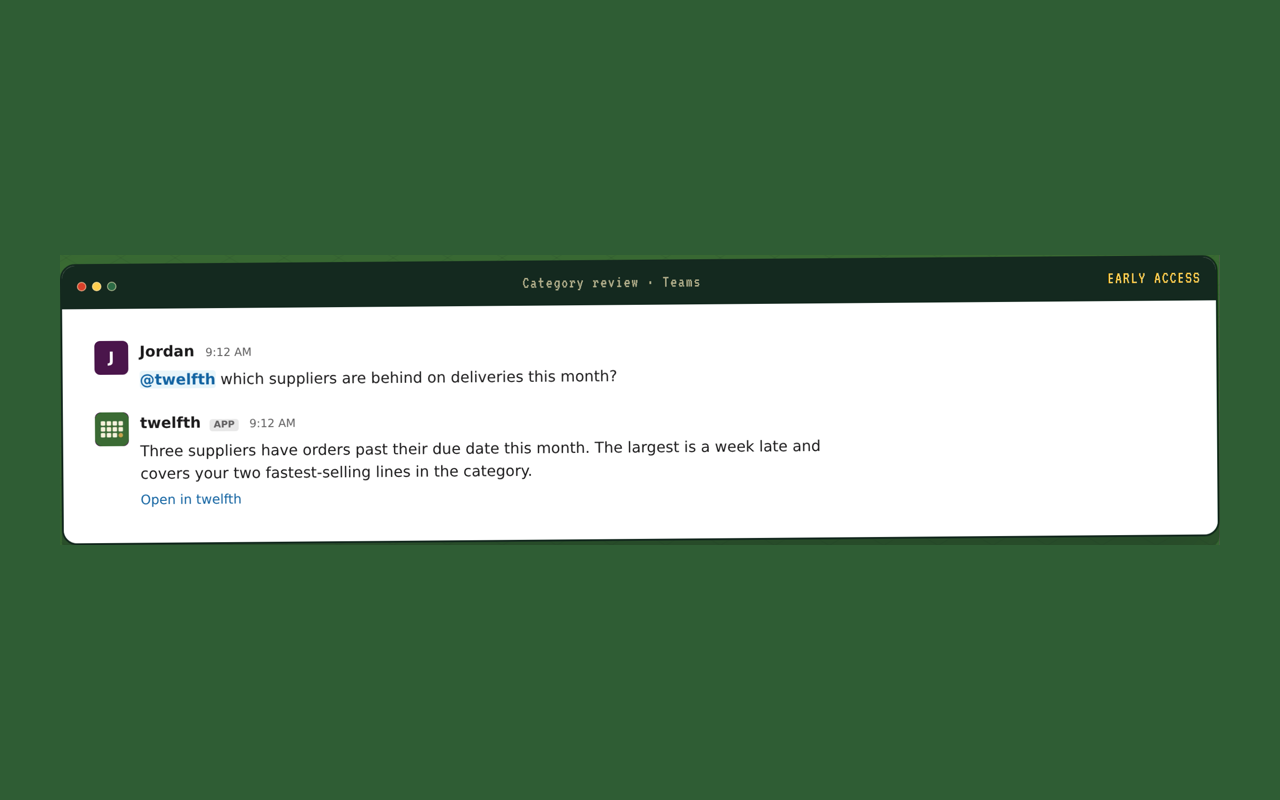
    twelfth for Microsoft Teams: early access is open

    Ask twelfth in a Teams chat, group chat or channel and get an answer from your workspace's data. Request early access from Settings → Comms & chat.

    A Microsoft Teams channel where twelfth answers which suppliers are behind on deliveries

Try it

Try it on your own workspace

Press ⌘K, or Ctrl K on Windows, on any page and type a product, supplier or project.

No bad cookies on these shelves.

Essential cookies keep the store running. Analytics only if you choose.