Today's work, one keystroke away.
Your open actions, product search, projects and a quick way to ask twelfth, in the Raycast launcher and menu bar on your Mac. It only reads; it can't change anything in twelfth.
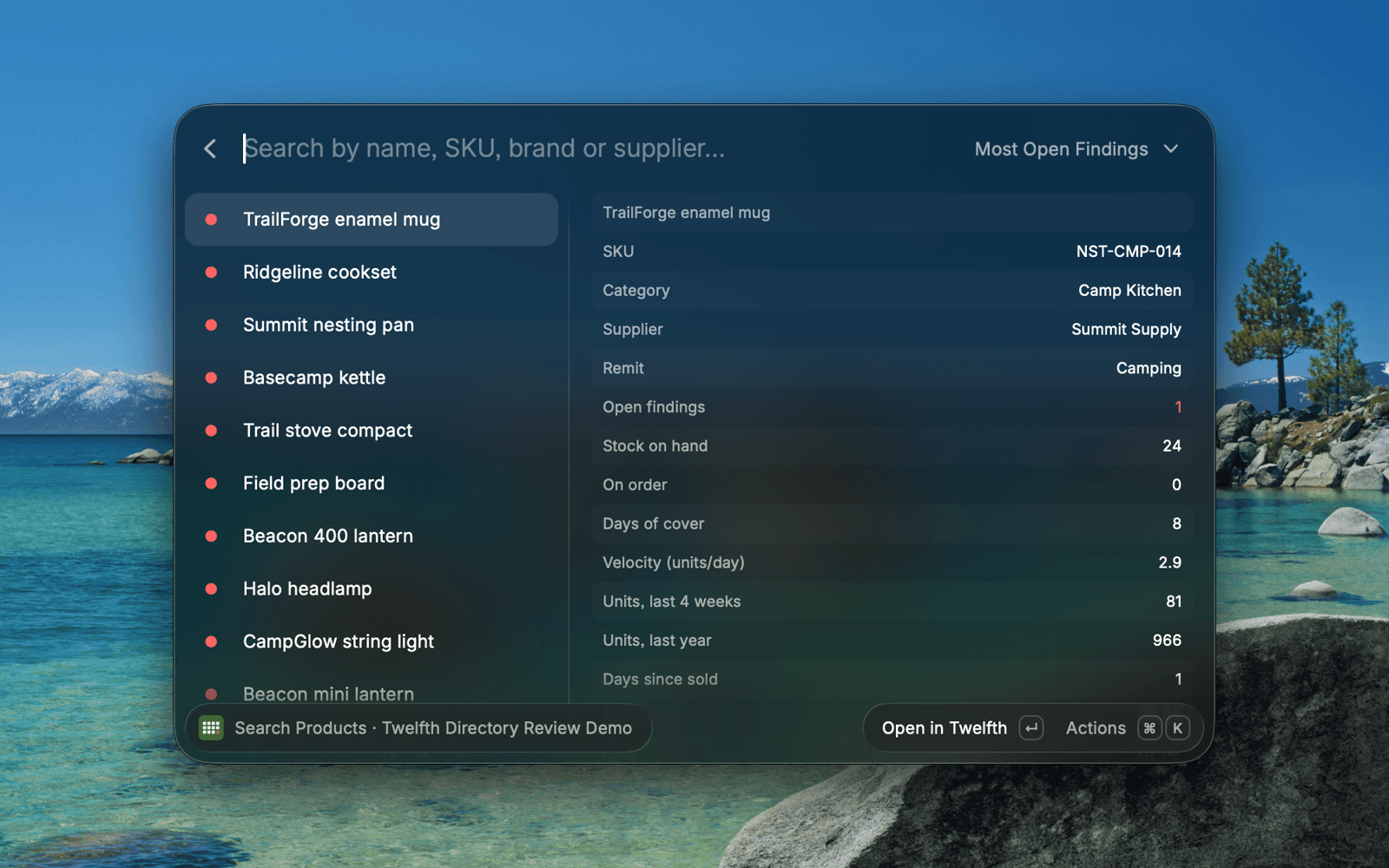
- Five commandsToday, the menu bar count, products, projects and Ask twelfth.
- Your access appliesIt sees only what you see in the app: your role, remits and projects.
- Read onlyIt can't change tasks, products or anything else in twelfth.
From the launcher to the right page in twelfth.
Find the thing, check the figure, and jump into twelfth only when you need to.
- Install
Add it from the Raycast Store.
Search the Store for twelfth, install it, then sign in once in your browser.
- Find
Search your range or your day.
What Should I Do Today groups your open actions by when they're due. Search Products shows stock, cover, sales and GP%.
- Ask
Hand a question to twelfth.
Ask twelfth opens a new chat with your question, or ask about the selected action, product or project.
What's in the launcher.
Five commands, plus @twelfth in Raycast AI.
- What Should I Do Today
- Your open actions, overdue first, for you or everyone.
- twelfth Today
- A menu bar count of overdue and due-today actions that turns red when something is late.
- Search Products
- Search by name, SKU, brand or supplier, sorted by findings, cover, speed or GP%.
- Projects and Ask twelfth
- Projects with stage and overdue tasks, and a quick way to start a chat.

Signed in as you, read only.
The extension uses your own twelfth sign-in, so it shows exactly what you can already see, and it never changes anything.
Read the privacy policy- ACCESS RECEIPT
- TWELFTH FOR RAYCAST
- Your sign-in
- You approve access once in your browser and stay signed in on that Mac.
- Your remits
- Products, actions and projects follow your role and remits.
- Admin keys optional
- An owner or admin can use a workspace API key instead; it reads the whole workspace.
- No writes
- It can't change anything in twelfth.
- MODE
- READ ONLY
Questions before you install.
- Where do I get it?
- Open Raycast, search the Store for twelfth and select Install, or open the listing at raycast.com/twelfth.ai/twelfth.
- Do I need a twelfth account?
- Yes. The extension reads your twelfth workspace. If your team does not use twelfth yet, book a demo at twelfth.ai/book-a-demo.
- Can it change anything?
- No. It reads only. Opening an item or asking a question takes you to twelfth in your browser.
- Where do I get help?
- The Raycast guide covers installing, signing in and every command. For anything else, contact us through twelfth.ai/contact.
Work with twelfth
Put twelfth in your launcher.
Install it from the Raycast Store and sign in with your twelfth workspace.
Raycast on Mac · A twelfth workspace is required