Book a demo

New

Use a monday.com board as a planning calendar

Connect monday.com once, choose the board your team plans on, and twelfth reads its items as trading, promotion or custom calendar dates. Read-only.

If your team plans launches and promotions on a monday.com board, twelfth can read that board as a calendar.

Connect your monday account once for the workspace, then in Settings → Calendars choose a board and, optionally, one group. twelfth reads the board like a spreadsheet: a timeline column becomes start and end dates, the first people column becomes the Assignee, and every other column can be mapped under Reads as.

twelfth never edits a board and reads it at most once a minute, so it barely touches your monday API allowance. The monday.com guide covers boards as calendars and as chat context.

Also new

  1. News

    twelfth for Raycast is in the Raycast Store

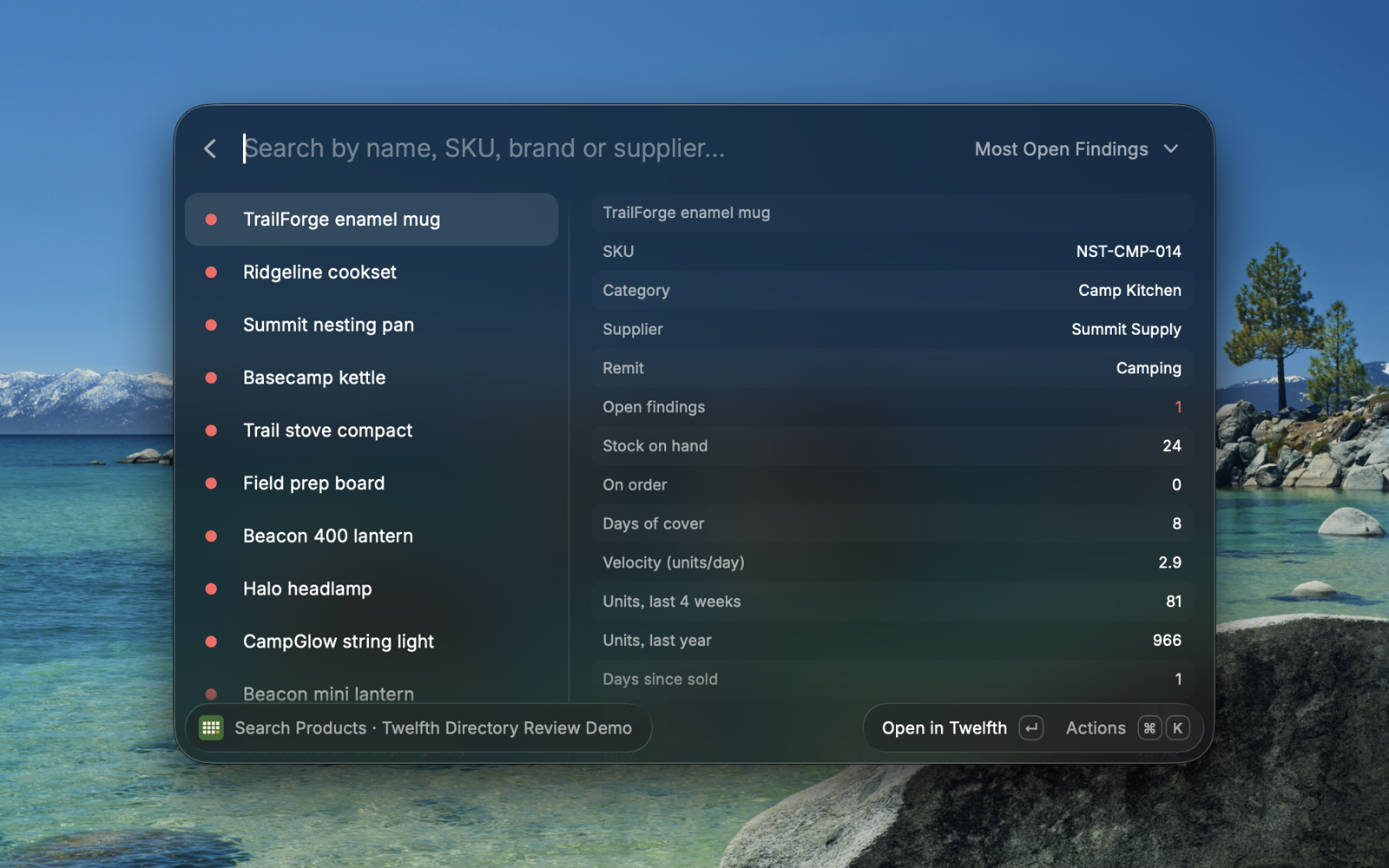
    Today's actions, product search, projects and a quick way to ask twelfth, from the Raycast launcher and menu bar on your Mac. Read-only.

    twelfth for Raycast searching products, with stock, cover and sales for the selected product

Try it

It is in twelfth now.

Signed in to twelfth? Open it in your workspace. Not on twelfth yet? Book a demo and we will show it on your own range.

No bad cookies on these shelves.

Essential cookies keep the store running. Analytics only if you choose.